Unity 1개월차 프로젝트 제작 후기
지난 6월, 저는 Unity를 이용해 취업을 하기 위해 유니티 부트캠프에 들어왔습니다. 6월부터 12월까지 총 6개월간 이루어지는 이 과정 속에서 절반이 지난 현재, 초라하지만 유니티를 다루는데 조금 익숙하게 해준 두개의 프로젝트중 먼저 제작한 프로젝트에 관한 글을 써보려고합니다.
먼저 작성자는 컴퓨터 언어에 대한 지식이 전혀 없는 상태로 C#과 유니티를 약 4주동안 배운후 바로 프로젝트를 진행했었습니다. 게임소개를 하자면 '종 스크롤 2D 슈팅게임'입니다.
기능 구현(1) 플레이어
움직임
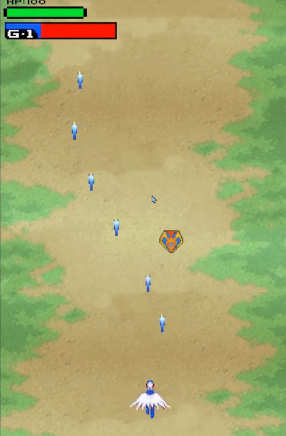
Animator anim;
public float moveSpeed = 5;

void Update()
    {
        float moveX = moveSpeed * Time.deltaTime * Input.GetAxis("Horizontal");
        float moveY = moveSpeed * Time.deltaTime * Input.GetAxis("Vertical");
        transform.Translate(moveX, moveY, 0);

        if (Input.GetAxis("Horizontal") >= 0.3f)
            anim.SetBool("Right", true);
        else anim.SetBool("Right", false);
        if (Input.GetAxis("Horizontal") <= -0.3f)
            anim.SetBool("Left", true);
        else anim.SetBool("Left", false);
   }
키보드로 움직임을 주기위해 Horizontal,Vertical을 사용했습니다. 애니메이션 발동 조건은 Horizontal,Vertical이 올라가는 값에 따라 변경되도록 하였습니다. (이들은 -1 0 1 뿐이니까요)
기능 구현(1)
총알 발사
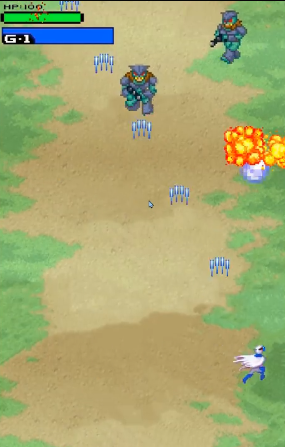
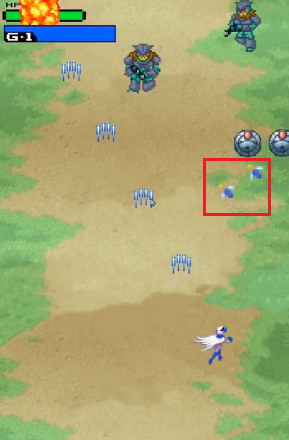
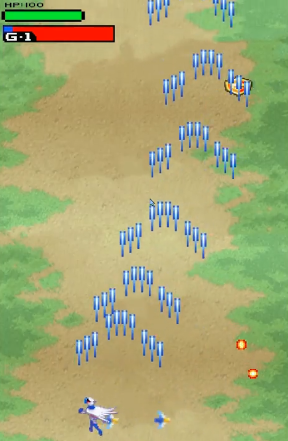
public GameObject[] bullet = null;
public GameObject Pos2Bullet = null;
public GameObject Pos3Bullet = null;
public Transform Pos;
public Transform Pos2;
public Transform Pos3;
//
public int bPower = 0;
public int pPower = 0;
//
private bool isPos2BulletEnalbed = false;
private bool isPos3BulletEnalbed = false;
private int bulletCount = 0;

 if (Input.GetKeyDown(KeyCode.Space))
        {
            Instantiate(bullet[bPower], Pos.position, Quaternion.identity);
            bulletCount++;

            if (isPos2BulletEnalbed && isPos3BulletEnalbed && bulletCount >= 5)
            {
                Instantiate(Pos2Bullet, Pos2.position, Quaternion.identity);
                Instantiate(Pos3Bullet, Pos3.position, Quaternion.identity);
                bulletCount = 0;
            }
            else Instantiate(bullet[bPower], Pos.position, Quaternion.identity);
        }

private void OnTriggerEnter2D(Collider2D collision)
    {
        if (collision.gameObject.tag == "Item")
        {
            bPower += 1;
            if(bPower >= 6)
                bPower = 6;
            Destroy(collision.gameObject);
        }

        if (collision.gameObject.tag == "Item3")
        {
            isPos2BulletEnalbed = true; isPos3BulletEnalbed = true;
            Destroy(collision.gameObject);
        }
public GameObject[ ] bullet에는 배열로 열린 인스펙터창에 각자 다른 총 6개의 프리펩을 넣어 업그레이드 될때마다 변하도록 하였습니다. 또한 bool값을 통해 처음에는 잠금되어있던 유도미사일 기능을 나중에 On되도록 만들었습니다. 이 유도미사일 기능은 총알이 5발 발사할때마다 양쪽에서 하나씩 발사될 수 있도록 하였습니다.
불렛의 업그레이드 조건은 아이템을 획득(onTrigger)입니다. 총 6단 변화됩니다. 유도미사일도 아이템 획득시 개방됩니다.
기능 구현(1)
피격시 효과 및 무적
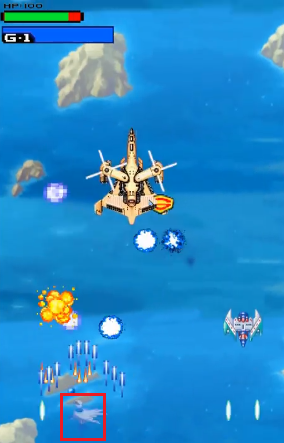
고전게임 특성상 한번맞으면 죽어버리는 고증을 살리고 싶었지만, 그래도 게임은 진행하고자 체력을 넣었고 피격시 색이 변경되는 기능과 동시에 여러번 데미지를 입지 않도록 피격시 순간 무적상태를 만들었습니다.
public float HP = 100;
//
public float Delay = 1.0f;
public float invDuration = 1f;  //무적시간
private bool isInvincible = false;  //무적 상태 변수

 public void Damage(int m_Attack)
{
   if (!isInvincible)
        {
            HP -= m_Attack;
            spriteRenderer.color = new Color(1, 1, 1, 0.4f);
            Debug.Log("HP : " + HP);

            if (HP <= 0)
            {
                Instantiate(Dead_Effect, transform.position, Quaternion.identity);
                Destroy(gameObject);
            }
            else
            {
                StartCoroutine(DurationTime());
                StartCoroutine(ResetColorAfterDelay(1f));
            }
        }
    }

    private IEnumerator DurationTime()
    {
        isInvincible = true; //무적상태
        yield return new WaitForSeconds(invDuration);
        isInvincible = false;
    }

    private IEnumerator ResetColorAfterDelay(float delay)
    {
        yield return new WaitForSeconds(delay);
        spriteRenderer.color = new Color(1, 1, 1, 1f); // 색상을 원래대로 복원
    }
만약 Damage함수가 무적상태(isInvincible)가 아닌 상황에서 발동되어 피격 되었다면 Coroutine 함수를 통해 무적이 되도록 DurationTime을 실행시켰습니다. 그렇다면 True가 되었으므로 Damge함수가 호출되어도 HP-= m_Attack이 발동되지않으니 체력이 깎이지 않게되었습니다. 육안으로 확인이 어려우므로 S.priteRenderer를 통해 색을 변경시켜 delay 시간만큼 색상을 변경시키고, 다시 복원시켰습니다.
기능 구현(1)
기본 총알
public float B_speed = 8.0f;
public int Attack = 0;
public GameObject explosion;

    void Update()
    {
        transform.Translate(Vector2.up * B_speed * Time.deltaTime);
    }

    private void OnTriggerEnter2D(Collider2D collision)
    {
        if (collision.tag == "Monster")
        {
            Instantiate(explosion, transform.position, Quaternion.identity);
            collision.gameObject.GetComponent<Monster>().Damage(Attack);
            Destroy(gameObject);
        }
        if (collision.tag == "Monster2")
        {
            Instantiate(explosion, transform.position, Quaternion.identity);
            collision.gameObject.GetComponent<Monster>().Damage(Attack);
            Destroy(gameObject);
        }
    ----------------------------생략 너무많음----------------------------
        if (collision.tag == "FinalBoss2")
        {
            Instantiate(explosion, transform.position, Quaternion.identity);
            collision.gameObject.GetComponent<WJ_BossPart2>().Damage(Attack);
            Destroy(gameObject);
        }
    }

    private void OnBecameInvisible() => Destroy(gameObject);
Tag를 이용해 몬스터를 인식했습니다. 종류가 워낙 많아서 하드코딩 치던 제가 너무 한심했지만 그냥 했습니다. 할줄 몰랐거든요... 다시는 이러지 말자 다짐했네요.
기능 구현(1)
유도 미사일
public class Player_Missle_Wj : MonoBehaviour
{
    public float msSpeed = 7.0f;
    public int Attack = 0;
    public GameObject explosion;
    GameObject[] targets;
    Rigidbody2D rb;

    void Start()
    {
        targets = new GameObject[10];
        targets[0] = GameObject.FindGameObjectWithTag("Monster");
        targets[1] = GameObject.FindGameObjectWithTag("Monster2");
        targets[2] = GameObject.FindGameObjectWithTag("Monster3");

				중간생략...

        targets[8] = GameObject.FindGameObjectWithTag("FinalBoss1");
        targets[9] = GameObject.FindGameObjectWithTag("FinalBoss2");

        rb = GetComponent<Rigidbody2D>();
        Destroy(gameObject, 1f);
    }

    private void FixedUpdate()
    {
        for(int i = 0; i < targets.Length; i++)
        {
            if (targets[i] != null)
            {
                Vector3 dir = targets[i].transform.position - transform.position;
                dir = dir.normalized;
                float vx = dir.x * msSpeed;
                float vy = dir.y * msSpeed;
                rb.velocity = new Vector2(vx, vy);
                break;
            }
        }
    }

    private void OnTriggerEnter2D(Collider2D collision)
    {
        if (collision.tag == "Monster")
        {
            Instantiate(explosion, transform.position, Quaternion.identity);
            collision.gameObject.GetComponent<Monster>().Damage(Attack);
            Destroy(gameObject);
        }

		...중간생략

        if (collision.tag == "FinalBoss2")
        {
            Instantiate(explosion, transform.position, Quaternion.identity);
            collision.gameObject.GetComponent<WJ_BossPart2>().Damage(Attack);
            Destroy(gameObject);
        }

    }
}
아이템 획득으로 잠금해방된 유도미사일 스크립트입니다. Tag가 Monster라면 그 방향을 찾아가는데 여전히 Tag가 많아서 배열을 이용했습니다. 유도할 Target의 위치에서 현재 위치를 빼주고, 일정한 속도로 쫓기위해 normalized를 섞어주니 손쉽게 유도미사일을 만들 수 있었습니다.
기능 구현(1)
필살기
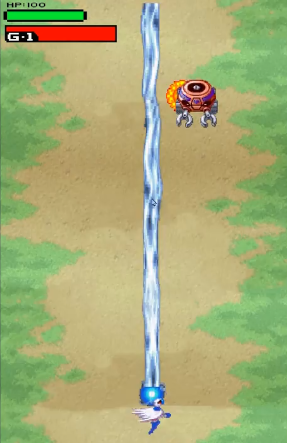
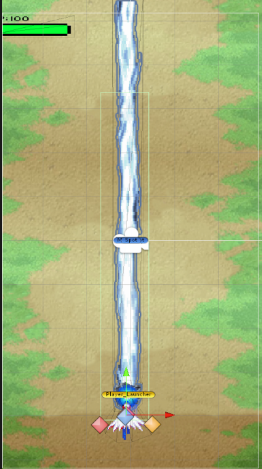
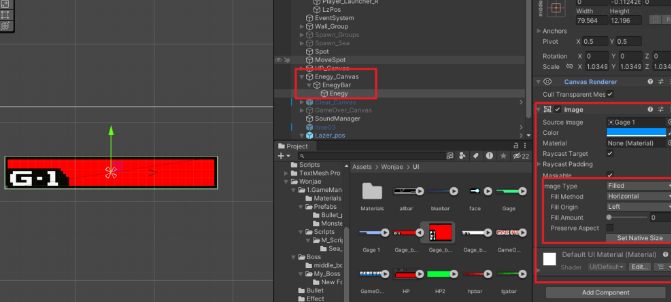
총알만 쏘면 밋밋해서 필살기를 만들어봤습니다. 왼쪽 상단 G-1이 가득차면 필살기 사용이 가능하게하였습니다.
[플레이어 스크립트]
public Image Gage;
public float gValue = 0;

if (Input.GetKeyDown(KeyCode.Space))
	{
	...
	gValue += 0.025f;
	Gage.fillAmount = gValue;
    }

if (Input.GetKey(KeyCode.Z))
        {
            if (gValue >= 1)
            {
                GameObject lz = Instantiate(Lazer, Pos.position, Quaternion.identity);
                Destroy(lz, 2.5f);
                gValue = 0;
            }
            gValue -= 0.01f;

            if (gValue >= 0)
                gValue = 0;
            Gage.fillAmount = gValue;
        }

[레이저 스크립트]
Transform pos;

public class WJ_Player_lazer : MonoBehaviour
{
    public int Attack = 100;
    Transform pos;

    void Start() { pos = GameObject.Find("Player").GetComponent<Player>().lzPos;}

    void Update(){ transform.position = pos.position;}

    private void OnTriggerEnter2D(Collider2D collision)
    {
        if (collision.tag == "Monster")
            collision.gameObject.GetComponent<Monster>().Damage(Attack);
            ...
		}
게이지 이미지에 space (총알발사) 할때마다 게이지가 증가 되도록 하였습니다. Unity 내 기능 Slide를 사용해 fillAmount값을 가져와서 0또는 1로 필살기 발사 가능 불가능을 설정했습니다.
기능 구현(2) 몬스터
몬스터 움직임 및 기본 공격
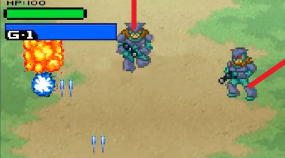
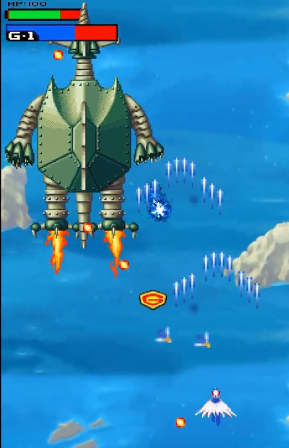
public class Monster : MonoBehaviour
{
    public Transform ms;
    public GameObject Mbullet;
    public GameObject Item = null;
    public GameObject DeathMonster;
    //
    public int HP = 25;
    public float moveSpeed = 2f;
    public float drop = 58f;

    void Start()
    {
        Invoke("CreateBullet", 1f);
    }

    void CreateBullet()
    {
        Instantiate(Mbullet, ms.position, Quaternion.identity);
        Invoke("CreateBullet", 1f);
    }
    void Update()
    {
        transform.Translate(Vector2.down * moveSpeed * Time.deltaTime);
    }

    public void ItemDrop()
    {
        float randomValue = Random.Range(0f, 100f);
        if( randomValue <= drop)
        {
            Instantiate(Item, ms.position, Quaternion.identity);
        }
    }

    public void Damage(int Attack)
    {
        HP -= Attack;
        if(HP <= 0 )
        {
            ItemDrop();
            Instantiate(DeathMonster, transform.position, Quaternion.identity);
            Destroy(gameObject);
        }
    }
    private void OnBecameInvisible() { Destroy(gameObject); }
기본적인 몬스터들은 종스크롤 게임이기 때문에 아래로 내려오도록했습니다. 몬스터와 보스의 기본 공격도 마찬가지로 일직선으로 총알을 발사하거나, Player의 현재 위치에 발사하도록하였습니다.
기능 구현(2)
보스 움직임
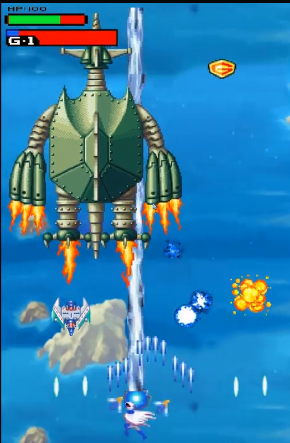
public class Boss_Move : MonoBehaviour
{
    public float moveSpeed = 3.0f;
    public float startWaitTime;
    private float waitTime;

    public float minX;
    public float maxX;
    public float minY;
    public float maxY;

    public Transform moveSpot;

    void Start()
    {
        waitTime = startWaitTime;
        moveSpot.position = new Vector2(Random.Range(minX, maxX),
        Random.Range(minY, maxY));
    }

    void Update()
    {
        transform.position = Vector2.MoveTowards(transform.position, moveSpot.position,
            moveSpeed * Time.deltaTime);

        if (Vector2.Distance(transform.position, moveSpot.position) < 0.2)
        {
            if (waitTime <= 0)
            {
                moveSpot.position = new Vector2(Random.Range(minX, maxX), Random.Range(minY, maxY));
                waitTime = startWaitTime;
            }
            else
            {
                waitTime -= Time.deltaTime;
            }
        }
    }
}


[움직임을 주고싶은 스크립트에 작성할 내용]
    public float startWaitTime;
    private float waitTime;

    public float minX;
    public float maxX;
    public float minY;
    public float maxY;
    public Transform moveSpot;
    GameObject Spot;
    Rigidbody2D rb;
    public float SpotSpeed = 1;

    void Start()
    {
        Spot = GameObject.Find("MoveSpot");
        rb = GetComponent<Rigidbody2D>();
        waitTime = startWaitTime;
    }

    private void FixedUpdate()
    {
      float dis = Vector3.Distance(Spot.transform.position, transform.position);
      if (dis > 1.2f)
        {
            Vector3 dir = Spot.transform.position - transform.position;
            dir = dir.normalized;
            float vx = dir.x * moveSpeed;
            float vy = dir.y * moveSpeed;
            rb.velocity = new Vector2(vx, vy);
        }
    }
일정한 위치만큼 랜덤으로 이동시키고싶었습니다. 한마디로 랜덤 움직임 패턴을 생성한 것입니다다. 이건 나중에 C# Unity 2D에서 따로 작성하겠습니다!
기능 구현(3) 보스
공격 패턴 : 회전공격
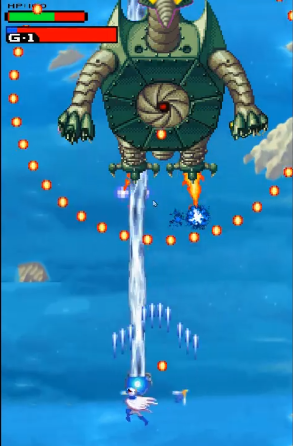
해방된 보스가 얼굴을 드러냈습니다. 등장과 함께 회전공격을 하게 만들었습니다.
[회전 공격 불렛의 프리펩 Bullet.cs]
public class rotate_bullet_wj : MonoBehaviour
{
    public float BulletSpeed = 6f;
    Vector2 vec2 = Vector2.down;

    void Update()
    {
        transform.Translate(vec2 * BulletSpeed * Time.deltaTime);
    }

    public void Move(Vector2 vec) { vec2 = vec;}
    private void OnBecameInvisible() { Destroy(gameObject); }
}

======================================================
[회전공격]
    IEnumerator CircleFire()
    {
        float attackRate = 10f;
        int count = 40;
        float intervalAngle = 360 / count;
        float weightAngle = 120;

        while (true)
        {
            for (int i = 0; i < count; ++i)
            {
                GameObject clone = Instantiate(tooth_Bullet, transform.position, Quaternion.identity);

                float angle = weightAngle + intervalAngle * i;
                float x = Mathf.Cos(angle * Mathf.PI / 180.0f); //cos, radian
                float y = Mathf.Sin(angle * Mathf.PI / 180.0f); //Sin, radian
                clone.GetComponent<rotate_bullet_wj>().Move(new Vector2(x, y));
            }
            weightAngle += 1;
            yield return new WaitForSeconds(attackRate);
        }
    }
void Start()  { StartCoroutine(CircleFire());  }

===========================================================
매 초마다 플레이어 방향으로 총알을 발사하면서, Coroutine 주기마다 360도 방향으로 공격을 하고있습니다. 여기서 사용한 Mathf.Cos, Mathf.Sin은 따로 글을 작성했습니다. 몇 줄로 설명할수있는게 아니더라구요ㅋㅋ 이거 회전 공격도 따로 이야기 해봐야합니다. 써야할 게 산더미군요.
기능 구현(3)
드릴 공격
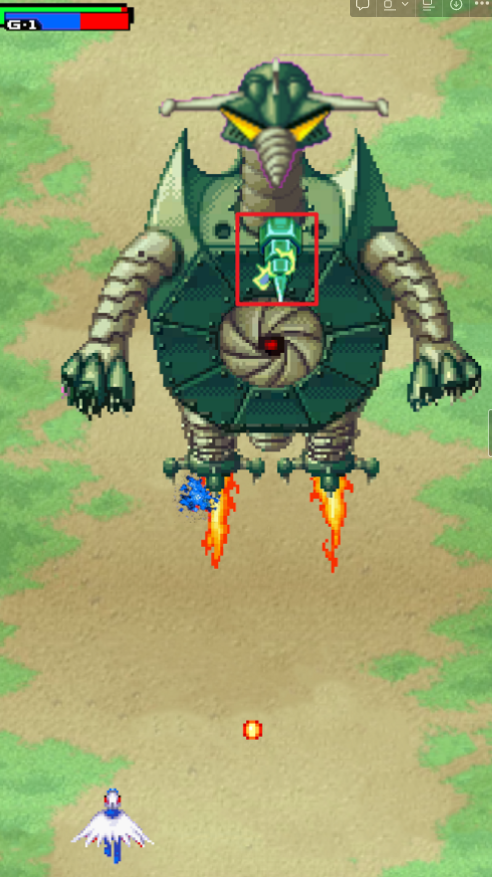
    public float speed = 8.0f;
    public int m_Attack = 10;
    public GameObject target;

    Vector2 dir;
    Vector2 dirNo;

    private void Start()
    {
        target = GameObject.FindGameObjectWithTag("Player");
        dir = target.transform.position - transform.position;
        dirNo = dir.normalized;
        StartCoroutine(Buri());
    }

    IEnumerator Buri()
    {
        yield return new WaitForSeconds(1.0f);
        while (true)
        {
            transform.Translate(dirNo * speed * Time.deltaTime);
            yield return null;
        }
    }
보스의 부리쪽에 GameObject(drillPos)를 생성하였는데, 밑에 발사하고있는 기본 공격과 스크립트 내용이 똑같습니다. Player 현재위치로 드릴을 발사합니다. 차이점은 일반 공격과 다르게 드릴의 속도가 매우 빠르므로 StartCoroutine을 사용하여 1초동안 부리에서 대기하다가 발사하도록했습니다.
기능 구현(3)
번개 공격
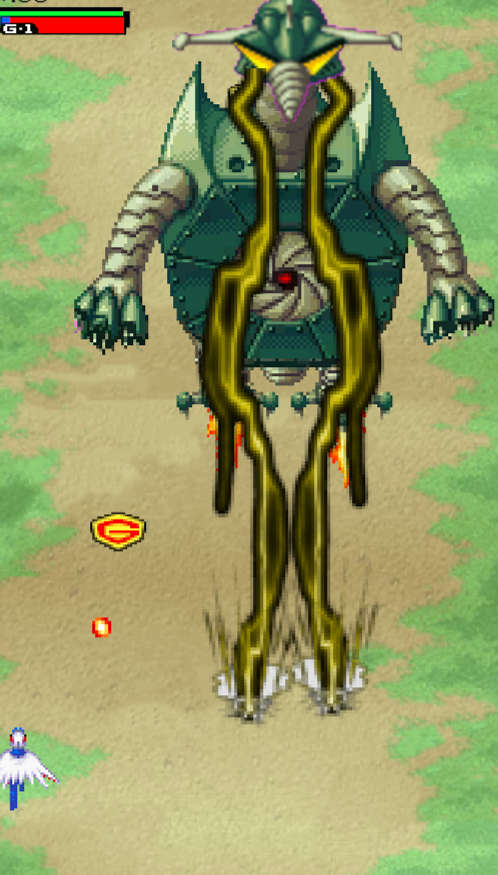

맞으면 즉사하는 보스의 번개공격입니다. 눈에서 번개가 발사되게 하기 위해 EYE1,2라는 GameObject를 생성해서 눈쪽에 위치했던 기억이납니다. 보스가 끊임없이 움직이는데 번개도 같이 움직이게 해야해서 만들기 어려웠었네요
[보스 스크립트]
public Transform EYE1;
public Transform EYE2;

public GameObject L_thunder;
public GameObject R_thunder;


void Start() { Invoke("Thunder", 2f); }

void Thunder()
    {
        WJ_SoundManager.instance.ThunderBoss();
        Instantiate(L_thunder, EYE1.transform.position, Quaternion.identity);
        Instantiate(R_thunder, EYE2.transform.position, Quaternion.identity);
        Invoke("Thunder", 8f);
    }


====================================
[번개 스크립트]

public class boss_light_Left : MonoBehaviour
{
    public GameObject Player_Death;
    public int m_Attack = 300;
    Transform pos1;
    void Start()
    {
        pos1 = GameObject.FindGameObjectWithTag("FinalBoss2").GetComponent<WJ_BossPart2>().EYE1;
        Destroy(gameObject, 1.5f);
    }

    void Update()
    {
        transform.position = pos1.position;
    }

    private void OnTriggerEnter2D(Collider2D collision)
    {
        if (collision.tag == "Player")
        {
            Instantiate(Player_Death, transform.position, Quaternion.identity);
            collision.gameObject.GetComponent<Player>().Damage(m_Attack);
            Destroy(gameObject);
        }
    }
}
번개는 각각의 스크립트를 생성해 총 두개로 만들었습니다. Transform pos1,2를 생성하고 void Start에서
pos1,2 = GameObject.FindGameObjectWithTag를 통해 보스를 찾고, GetComponent<보스 스크립트>()를 가져와서 작업했습니다.
Pos1,2(L_thun,R_thun)게임 오브젝트에서 번개모양을 생성하고, EYE1,2라는 이름의 GameObject를
transform.position = pos1,2.position; 를 통해 계속 따라다니게했습니다.
.
.
.
기능 구현(4)
나머지.. 이 글에 넣지 않은 내용들이 몇개 있는데, 먼저 사운드는 SoundManager instance를 사용했고, 백그라운드는 Material의 mainTexuterOffset.y를 이용해 무한히 스크롤해 움직이게 하였습니다. 몬스터가 스폰되는 SpawnManger는 StartCouroutine을 사용했습니다.
첫 프로젝트 끝
그러고보니 팀프로젝트였다고 했는데 역할을 어떻게 나누었는지 궁금해 하실수도있습니다. 총 4명이서 Stage1, 2, 3, 4 를 제작하였고 저는 스테이지 1을 제작하였네요. 사실 말이 팀프로젝트지 처음이라 팀을 가장한 개인프로젝트였던 것 같습니다.
그런 말이 있더라구요. 개발자는 자기가 한달전에 짠 코드를 보면 "이걸 이렇게 짜버렸다고?" 라고 말한다는데, 두달전에 작성한 제 첫 프로젝트 스크립트를 보니 노베이스인데 대견하기도하면서 답이 없다고 느껴지긴합니다. 팀프로젝트라면서 public 남발하고 스크립트는 겨우 짧은 스테이지 만드는데 2~30개 만들어버리고... 상속이라는 개념이 전혀 없었네요. 그거 말고도 정말 문제가 많지만! 이 정도만 이야기하겠습니다ㅋㅋ
뭐, 그래도 유니티와 C#을 만난지 정확히 한달이 됐을때 만든건데 나쁘진 않다고(?) 생각합니다. 그렇다면 이상으로 유니티 한달차의 프로젝트였습니다. 마지막으로 플레이 영상 봐주시면 감사하겠습니다.
다음 글은 유니티 두달반차의 프로젝트입니다!