Unity Engine/Unity UI
[유니티] UI 자동화 #2: Get
Muru
2023. 11. 30. 13:18
지난번에 바인딩을 하였다. 이제는 바인딩 한 값을 가져와보도록 하려고 한다.
또, UI에 GameObject를 불러오는 법과, Button에서 전부 컨트롤할수 없으므로 스크립트를 나눠 상속 받게 할 것이다.
public class UI_Button : MonoBehaviour
{
    Dictionary<Type, UnityEngine.Object[]> _objects = new Dictionary<Type, UnityEngine.Object[]>

    private void Start()
    {
        Bind<Button>(typeof(Buttons));
        Bind<Text>(typeof(Texts));
    }

    private void Bind<T>(Type type) wherer T : UnityEngine.Object
    {
    	string[] names = Enum.GetNames(type)	//enum string 변환
        UnityEngine.Object[] objects = new UnityEngine.Object[names.Length];
        _objects.Add(typeof(T), objects);

        for (int i = 0; i < name.Length; i++)
        {
            objects[i] = Util.FindChild<T>(gameObject, names[i], true);
        }
    }
}


============================================
이제 바인딩을 했으므로 가져와보자(Get)
private T Get<T>(int index) where T : UnityEngine.Object
{
UnityEngine.Object[] objects = null;
if(_objects.TryGetValue(typeof(T), out objects) == false)
return null;
return objects[index] as T;
}
===========
Dictionary의 TryGetValue를 이용해 키값을 추출한다.
꺼내는데 성공했다면 object[index]번호를 추출후 T값으로 캐스팅한다.
이후 되는지 확인하기위해
private void Start()
{
Bind<Button>(typeof(Buttons));
Bind<Text>(typeof(Texts));
Get<Text>((int)Texts.ScoreText).text = "Bind TEST";
}
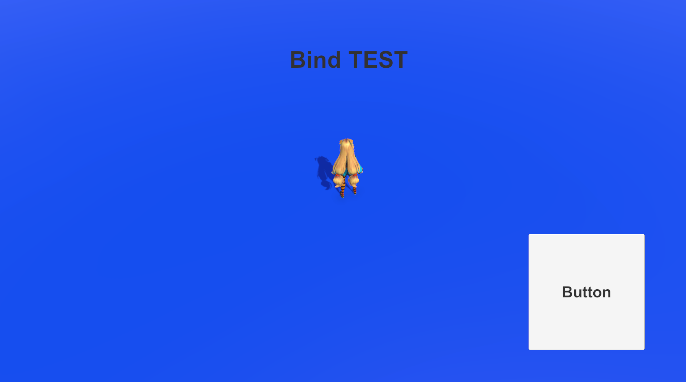
라고 적어보자.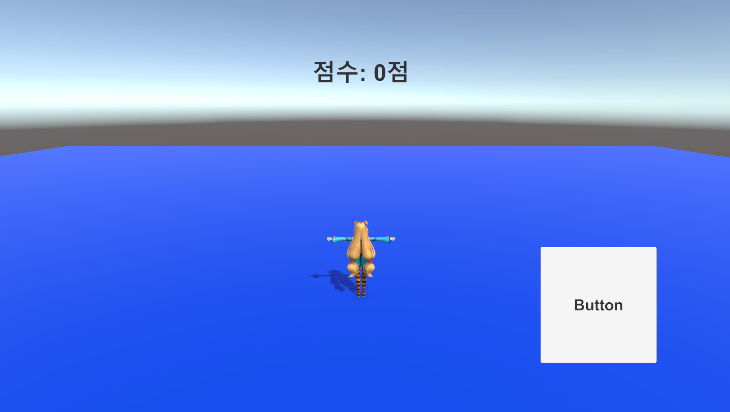
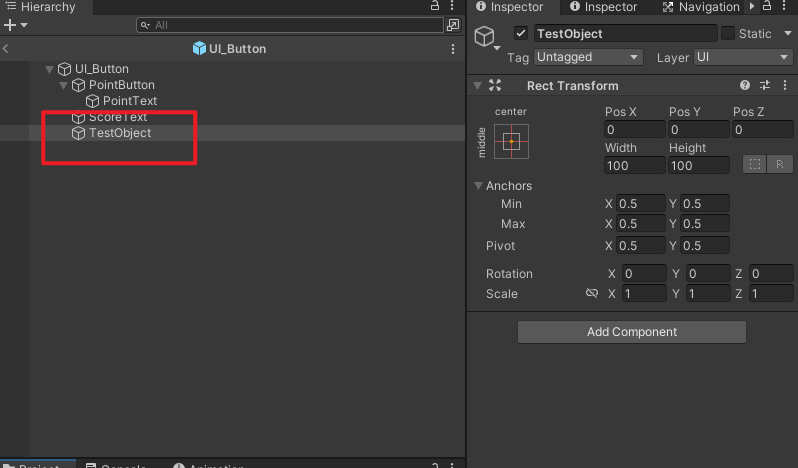
이번엔 enum값으로 GameObject를 추가하려고한다. 기존 enum값 아래에 추가를 하고, 바인딩을 해보자.

//...
enum GameObjects
{
    TestObject
}

    private void Start()
    {
        //...
        Bind<GameObject>(typeof(GameObjects));
}

	//...
	for (int i = 0; i < name.Length; i++)
    	objects[i].Utill.FindChild<T>(gameObject, names[i], true)
}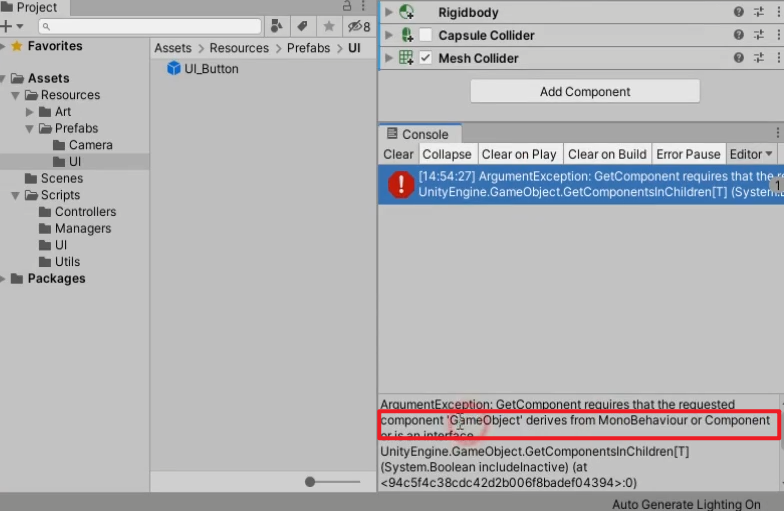
오류가발생한다. 바인딩을해도 컴포넌트에는 GameObject라는것이 없기 때문.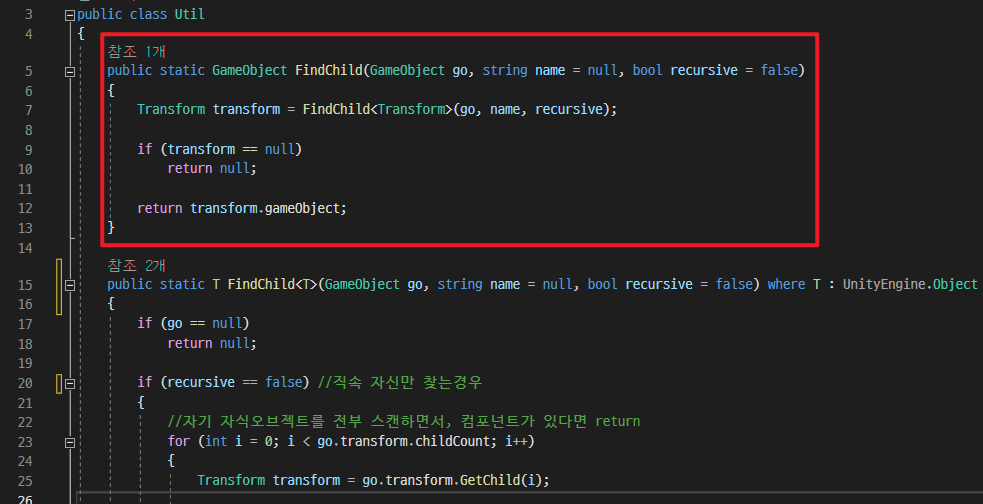
Util에서 GameObject를 받을수있는 FindChild를 생성한다.그리고 기존 코드에 if문을 추가해서 게임오브젝트인지, T타입인지 체크해서 찾아준다.
for (int i = 0; i < names.Length; i++)
{
if (typeof(T) == typeof(GameObject))
objects[i] = Util.FindChild(gameObject, names[i], true);
else
objects[i] = Util.FindChild<T>(gameObject, names[i], true);
//안전하게 찾았는지 확인
if (objects[i] == null)
Debug.Log($"바인딩 실패: {names[i]}");
}이제 게임오브젝트와 T타입 모두 찾을수있게되었다.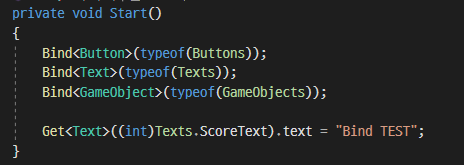
마지막으로 수정할부분은 Get으로 가져오는 부분이다. 앞으로 Text, Button, Image 등
사용할 일이 많을 것이니 미리 Get버전을 생성해두자.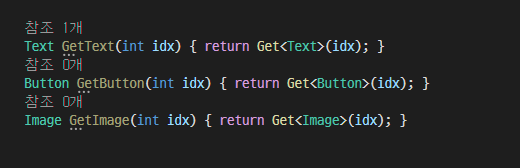
자주사용하는 애들을 위해 Get을 만들어주고 기존 코드인
Get<Text>((int)Texts.ScoreText).text = "Bind TEST"; 를
GetText((int)Texts.ScoreText).text = "Bind TEST";로 바꾼다.
이제 UI_Base.cs를 생성해서 상속시켜주면 완료.using System;
using System.Collections.Generic;
using UnityEngine;
using UnityEngine.UI;
public class UI_Base : MonoBehaviour
{
protected Dictionary<Type, UnityEngine.Object[]> _objects = new Dictionary<Type, UnityEngine.Object[]>();
protected void Bind<T>(Type type) where T : UnityEngine.Object
{
string[] names = Enum.GetNames(type); //enum string 변환
UnityEngine.Object[] objects = new UnityEngine.Object[names.Length];
_objects.Add(typeof(T), objects); //변환한 string Dictionary에 전달
//for문으로 순회해서 찾는다: 이름으로
for (int i = 0; i < names.Length; i++)
{
if (typeof(T) == typeof(GameObject))
objects[i] = Util.FindChild(gameObject, names[i], true);
else
objects[i] = Util.FindChild<T>(gameObject, names[i], true);
if (objects[i] == null)
{
Debug.Log($"바인딩 실패: {names[i]}");
}
}
}
protected T Get<T>(int idx) where T : UnityEngine.Object
{
UnityEngine.Object[] objects = null;
if (_objects.TryGetValue(typeof(T), out objects) == false)
{
return null;
}
return objects[idx] as T;
}
protected Text GetText(int idx) { return Get<Text>(idx); }
protected Button GetButton(int idx) { return Get<Button>(idx); }
protected Image GetImage(int idx) { return Get<Image>(idx); }
}using UnityEngine;
using UnityEngine.UI;
enum Buttons
{
PointButton
}
enum Texts
{
PointText,
ScoreText
}
enum GameObjects
{
TestObject
}
public class UI_Button : UI_Base
{
private void Start()
{
Bind<Button>(typeof(Buttons));
Bind<Text>(typeof(Texts));
Bind<GameObject>(typeof(GameObjects));
GetText((int)Texts.ScoreText).text = "Bind TEST";
}
int _score = 0;
public void OnButtonClicked()
{
_score++;
}
}
이제 바인딩이 완전 끝났으므로, 이벤트를 연동해보도록 하자.